
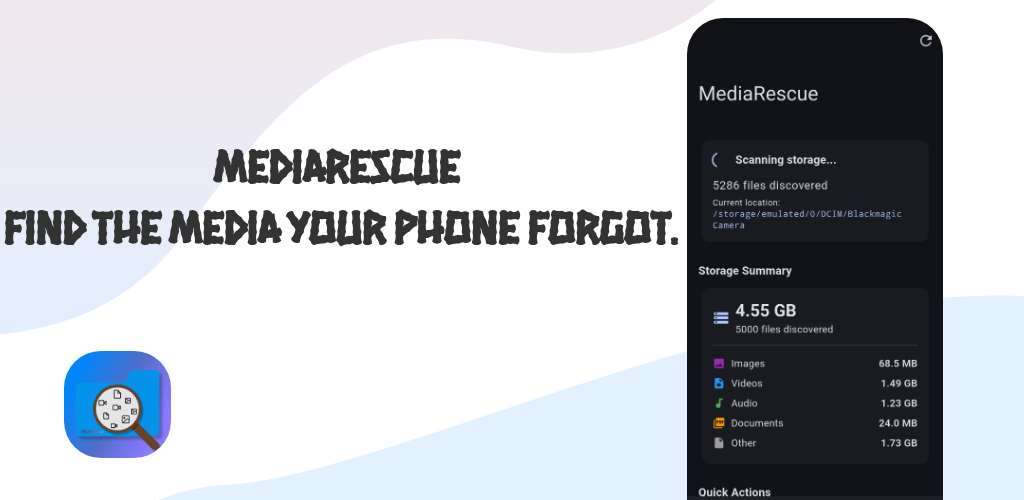
MediaRescue | Find files your phone forgets about
Find, browse, preview, and manage your forgotten media and files.
MediaRescue
MediaRescue is an open-source Android storage scanner, media discovery, and file management app built with Flutter, Dart, and Kotlin.
It helps users find hidden, deeply nested, poorly indexed, and hard-to-find files across Android device storage. MediaRescue scans local storage, builds an indexed file database, and provides tools for searching, filtering, browsing, previewing, and rescuing files.
Unlike a traditional gallery app, MediaRescue is designed to look beyond the usual media locations and help users understand what is actually stored on their Android device.
MediaRescue is live on Google Play and available through multiple download channels.
📥 Download MediaRescue


🔗 Project Links
- GitHub: https://github.com/everythingfreee/MediaRescue
- Official Website: https://mediarescue.apk.com
- Package:
com.shaheer.mediarescue.mediarescue - Status: Live
- Current Version:
1.0.9 - Platform: Android
- Framework: Flutter
- License: MIT
- Source Code: Open source
🚀 What MediaRescue Does
MediaRescue is an Android file discovery and media management tool focused on files that are easy to miss with normal gallery applications.
The app scans device storage, indexes discovered files, and lets users work with the results without repeatedly scanning the filesystem.
Core Features
- Full device storage scanning
- Recursive folder scanning
- Hidden Media detection
- Advanced Scanning with optional Shizuku support
- Android
dataandobbscanning through Advanced Scanning - Gallery view
- File browser
- Search
- Smart Filters
- Large Files detection
- Cleanup suggestions
- Suggested Gallery folders
- Image previews
- Video previews
- Audio playback
- PDF previews
- Full-screen landscape video playback
- Background audio and video playback
- Android media notifications
- Previous and next media controls
- Shared storage support
- Removable SD card support
- Offline-first architecture
- Local file processing
- Local metadata indexing
- No account required
- No cloud upload of user files
🔍 Hidden Media
One of MediaRescue's core ideas is helping users find media that normal gallery applications do not show clearly.
MediaRescue identifies files using signals such as:
- Hidden directories
.nomediafiles- Files outside common media locations
- Files missing from Android's media index
- Unusual directory depth
- Media stored inside application-related directories
The Hidden Media feature helps users investigate media files that exist on storage but might not appear in their normal gallery.
MediaRescue does not treat every non-gallery file as deleted. The goal is file discovery, not pretending that existing files are deleted data.
🧪 Advanced Scanning
MediaRescue includes an optional Advanced Scanning mode powered by Shizuku.
Advanced Scanning provides access to storage locations that normal Android storage APIs restrict, including areas such as:
Android/dataAndroid/obb
The feature is user initiated and optional.
MediaRescue uses Shizuku for local, read-oriented advanced scanning rather than requiring users to root their devices.
The project also includes release-specific Shizuku API permission handling and keep rules to improve reliability in production builds.
🖼️ Gallery
The Gallery provides a media-focused view of files discovered during scanning.
Supported media includes:
- Images
- Videos
- Audio
MediaRescue also provides suggested storage locations for quickly exploring common media folders.
Suggested locations include:
DCIMPicturesDownloadMoviesMusicDocumentsWhatsAppAndroid
Selecting a folder scans the folder and its subfolders and presents discovered media through the Gallery workflow.
🔎 Search
MediaRescue indexes discovered files so users can search through previously scanned results without performing another complete filesystem scan.
Search supports discovered files across the storage index and opens files through dedicated preview routes.
Supported previews include:
- Images
- Videos
- Audio
- PDFs
Returning from a preview keeps the user within the current search workflow.
🎯 Smart Filters
MediaRescue uses a filtering architecture built around its existing indexed FileItem data.
Instead of performing another filesystem scan whenever a user changes a filter, MediaRescue filters the existing indexed results.
Storage Scanner
      ↓
FileItem Index
      ↓
FilterEngine
      ↓
Filtered Results
      ↓
UI
Each indexed file includes metadata such as:
- File path
- File name
- File size
- MIME type
- Modified date
- Storage location
- Hidden/indexing information
Users can combine filters for more precise file discovery.
Available Filters
- File type
- File size
- Modified date
- Storage location
- Hidden files
- Indexed files
- Multiple filters at the same time
This architecture keeps filtering separate from filesystem scanning and makes repeated filtering significantly more efficient than rescanning storage for every query.
📦 Large Files
MediaRescue includes a dedicated Large Files section for finding files that occupy significant storage space.
Users can inspect large files, preview supported media, and use MediaRescue's rescue and file-management workflows.
The feature is also integrated into the Home screen through cleanup suggestions.
Examples include:
- Large videos → Large Files
- Many images → Gallery
- Unknown files → Browser
🎵 Audio Playback
MediaRescue includes an integrated audio player with previous and next controls.
Audio playback is available from multiple parts of the application, including:
- Browse
- Search
- Large Files
The player receives available audio files from the current context and lets users move between files without repeatedly returning to the file list.
🎬 Video Playback
MediaRescue provides dedicated video preview routes with support for full-screen landscape playback.
Features include:
- Full-screen landscape video
- Playback controls
- Preserved playback position
- Preserved playback state
- Automatic video repeat
- Screen wake lock during active foreground playback
- Wake lock release when playback is paused
- Wake lock release during background playback
- Safe playback cleanup when leaving the preview screen
The application also uses route observation and playback lifecycle handling to prevent media from continuing after the user leaves the preview screen.
🔔 Background Media Playback
MediaRescue v1.0.8 introduced background audio and video playback through an Android MediaSession foreground service.
Media notifications provide controls for:
- Play
- Pause
- Previous
- Next
- Seek state
- Stop
Users also have settings for:
- Background playback
- Media notifications
- Battery optimization behavior
An optional battery optimization exemption is available for devices that aggressively terminate background services.
📂 File Browser
The Browser provides manual storage navigation similar to a traditional Android file manager.
Users can:
- Browse folders
- Browse subfolders
- Open files
- Navigate through storage
- Preview supported media
- Inspect files outside typical gallery locations
The Browser works alongside Search, Gallery, Large Files, and Advanced Scanning instead of replacing them.
🔄 File Discovery Architecture
MediaRescue follows an indexed discovery architecture.
Android Storage
      ↓
Recursive Scanner
      ↓
File Metadata
      ↓
FileItem Index
      ↓
Search / Filters / Gallery / Browser
      ↓
Preview / Playback / Rescue
The scanner collects metadata from discovered files and stores the results in the application's local state.
Search and filtering then operate on those indexed results.
This avoids unnecessary repeated filesystem scans when users search, filter, or change views.
🔒 Privacy
MediaRescue follows a local-first privacy model.
Files remain on the user's device during normal MediaRescue operation. The application processes discovered files and their metadata locally for scanning, searching, filtering, browsing, previewing, and playback.
MediaRescue does not require:
- An account
- Cloud storage
- Uploading personal files
- Remote file processing
The project is designed for users who want to inspect their Android storage without sending personal media to a remote service.
📱 Android Storage
Android storage has become increasingly restricted across recent Android versions.
Application-specific directories, hidden folders, .nomedia files, MediaStore indexing, removable storage, and scoped storage rules can all affect which files appear in normal gallery applications.
MediaRescue addresses the file discovery side of this problem by scanning and indexing accessible local storage and providing additional Advanced Scanning capabilities through Shizuku.
The application does not claim to recover data that has already been physically overwritten.
v1.0.9 — Immersive Audio & Auto-Scroll, Memories, Haptics & Diagnostics
✨ New Features
- Immersive Audio Playback: Audio files are now integrated directly into the unified Immersive Media Player feed alongside images and videos, complete with dedicated artwork, waveform card, and full gesture controls.
- Auto-scroll Feed: Toggle auto-scroll from the long-press middle screen menu. Automatically advances to the next compatible audio or video item when playback finishes; images remain static.
- Audio Transitions & Fades: Smooth volume fade-down and fade-in between tracks during manual swiping to eliminate clicks, pops, and abrupt cuts.
- Edge-Hold Playback Speed Controls: 20 ms confirmation delay before activating temporary 2× speed to eliminate accidental triggers, accompanied by soft haptic feedback.
- User-Controlled Haptic Feedback: Settings toggle for haptics and adjustable intensity (Light, Medium, Strong) applied to speed triggers and buttons across the app.
- Advanced Scan Preview Cache Indexing Protection: Automatically creates and maintains
.nomediain/storage/emulated/0/Android/media/com.shaheer.mediarescue.mediarescue/advanced_preview_cache/to shield preview thumbnails from Android MediaStore indexing. - Local Memory Anniversary Notifications: Reminders for hidden media files taken on this date in previous years using locally cached metadata on a dedicated channel (
mediarescue_memories) with custom sound and direct player opening. Fully offline with zero cloud storage. - Anonymous Installation & Activity Diagnostics: Offline-first, privacy-compliant installation telemetry using Firebase Cloud Firestore. Syncs at most once every ~24 hours with a random installation UUID, device model, and OS version without collecting personal data, media, or file paths.
- Developer Memory Cache Inspector (debug builds only): Settings → Developer lists the exact metadata cached locally for Memories — path, media type, creation/caching dates, cached artwork and notification bookkeeping — alongside a random test notification and a one-tap Open media check of the whole notification pipeline.
🏪 Distribution
MediaRescue has moved beyond development and testing into public distribution.
The application is currently distributed through:
- Google Play
- Official MediaRescue website
- GitHub Releases
- Orion Store
- APKPure
- Softonic
- Uptodown
The project maintains the GitHub repository as the primary open-source development location.
🧪 Testing and Release Process
MediaRescue went through Google Play testing before production release.
Testing covered:
- Storage scanning
- Recursive file discovery
- Hidden Media
- Advanced Scanning
- Gallery
- Smart Filters
- Search
- File Browser
- Audio playback
- Video playback
- Background playback
- Media notifications
- Image previews
- PDF previews
- Large Files
- Navigation
- Shared storage
- Removable SD cards
- Android storage restrictions
User feedback during testing helped identify issues around file discovery, Large Files, Advanced Scanning, playback, and navigation.
The project continues to receive updates based on testing and real-world usage.
🛠️ Technology Stack
MediaRescue is built using:
- Flutter
- Dart
- Kotlin
- Android SDK
- Gradle
- Material Design
- Shizuku API
- Android MediaSession
- Android Foreground Services
- Git
- GitHub
👨💻 Independent Development
MediaRescue was developed independently from concept to production.
Development involved:
- Android application architecture
- Flutter development
- Dart development
- Kotlin development
- Android storage APIs
- Scoped storage handling
- Recursive filesystem scanning
- File metadata indexing
- Search architecture
- Filtering architecture
- Hidden file detection
- Media discovery
- Shizuku integration
- Android foreground services
- MediaSession integration
- Audio playback
- Video playback
- File previews
- UI/UX design
- Storage permission handling
- Release signing
- Google Play deployment
- Open-source project management
- Privacy documentation
- Production testing
- Release maintenance
🌐 Open Source
MediaRescue is open source and released under the MIT License.
The source code, releases, and development history are available on GitHub.
GitHub: https://github.com/everythingfreee/MediaRescue
License: MIT License
❓ Frequently Asked Questions
What is MediaRescue?
MediaRescue is an open-source Android storage scanner and media discovery app for finding hidden, deeply nested, poorly indexed, and hard-to-find files on Android devices.
Does MediaRescue recover deleted files?
MediaRescue focuses on discovering files that still exist on accessible device storage. It is not a forensic deleted-file recovery tool and does not claim to recover data that has already been overwritten.
Does MediaRescue scan hidden files?
Yes. MediaRescue includes a Hidden Media feature that identifies media using signals such as hidden directories, .nomedia files, unusual storage locations, and files missing from normal media indexing.
Can MediaRescue scan Android/data and Android/obb?
MediaRescue provides optional Advanced Scanning through Shizuku for supported devices and configurations.
Does MediaRescue upload files to the cloud?
No. MediaRescue follows a local-first architecture. File scanning and normal file processing happen on the Android device.
Does MediaRescue require an account?
No account is required.
Does MediaRescue work with SD cards?
MediaRescue supports removable SD card storage where Android provides access to the storage location.
What is Shizuku used for in MediaRescue?
Shizuku provides the privileged bridge used by MediaRescue's optional Advanced Scanning feature to access storage areas restricted by normal Android application APIs.
What Android files can MediaRescue find?
MediaRescue can discover images, videos, audio files, PDFs, and other files accessible through its storage scanning and browsing workflows.
Is MediaRescue open source?
Yes. MediaRescue is released under the MIT License and its source code is available on GitHub.
What version is MediaRescue?
The current portfolio entry tracks MediaRescue v1.0.9.
📊 Project Status
| Property | Details |
|---|---|
| Project | MediaRescue |
| Platform | Android |
| Current Version | 1.0.9 |
| Package | com.shaheer.mediarescue.mediarescue |
| Status | Live |
| Source Code | Open source |
| License | MIT |
| Framework | Flutter |
| Languages | Dart, Kotlin |
| Advanced Scanning | Shizuku |
| Distribution | Google Play, Website, GitHub,Orion Store, APKPure, Softonic, Uptodown |
🔑 SEO Keywords
MediaRescue, Android file scanner, Android storage scanner, Android media scanner, Android hidden files, hidden media Android, find hidden files Android, find media files Android, deep storage scanner Android, Android file discovery, Android file manager, Android storage analyzer, large files Android, Android media recovery, Flutter Android app, Flutter file manager, Shizuku Android scanner, Android Advanced Scanning, offline Android file scanner, privacy focused Android app, open source Android file manager, open source Android storage scanner, local file scanner, Android SD card scanner, Android media browser.
About This Project
MediaRescue started as a solution for a simple problem: files exist on Android storage that users often cannot easily find through a normal gallery.
The project evolved into a complete local storage discovery system with recursive scanning, indexed search, Smart Filters, Hidden Media detection, Advanced Scanning, media playback, large-file discovery, previews, and file browsing.
It is now a production Android application distributed through Google Play and multiple independent download channels while remaining open source on GitHub.