
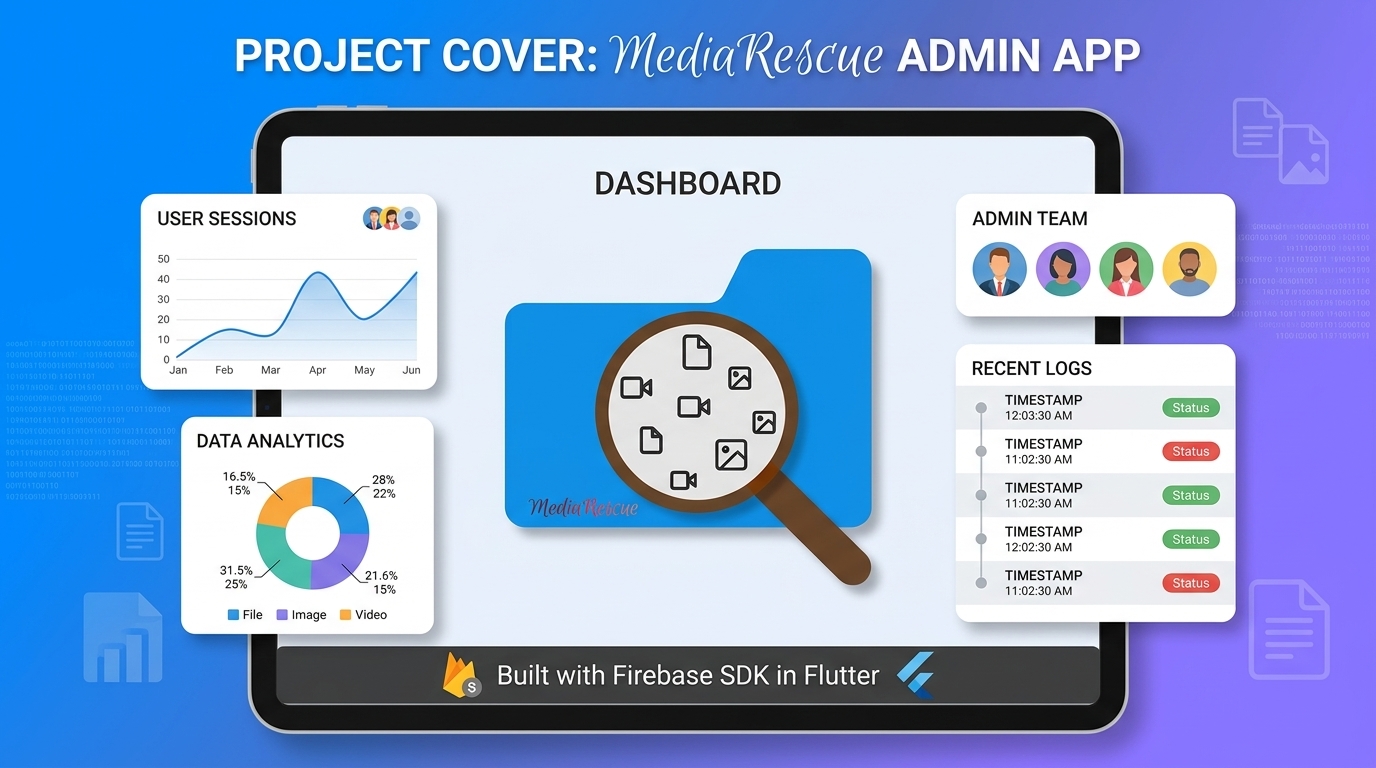
MediaRescue Admin | Firebase Admin SDK in Flutter
A privacy-first Flutter admin dashboard for MediaRescue, providing Firebase analytics, anonymous device telemetry, and targeted FCM push notifications.
MediaRescue Admin 🛡️📱
MediaRescue Admin is an open-source Flutter administration dashboard for managing anonymous device telemetry, application analytics, and Firebase Cloud Messaging notifications for the MediaRescue Android application.
Built with Flutter, Dart, Firebase Cloud Firestore, Firebase Authentication, Google Sign-In, Firebase Cloud Messaging (FCM), Riverpod, and Material 3, the dashboard provides a responsive interface for monitoring application installations, analyzing device and version distributions, exploring diagnostic metadata, and sending targeted push notifications.
The project follows a zero paid infrastructure philosophy and communicates directly with Firebase services without requiring a custom VPS, Node.js backend, third-party API proxy, or continuously running server.
🚀 What Is MediaRescue Admin?
MediaRescue Admin is the internal administration and analytics dashboard for the MediaRescue Android ecosystem.
It provides a centralized interface for viewing anonymous installation telemetry collected by MediaRescue and managing application communications through Firebase Cloud Messaging.
The project was designed around several principles:
- 🔒 Privacy-first administration
- ⚡ Serverless architecture
- 💰 Zero paid infrastructure
- 📊 Real-time Firebase analytics
- 🔔 Targeted push notifications
- 🧩 Modular Flutter architecture
- 📱 Responsive mobile, tablet, and desktop UI
- 🛡️ Restricted administrator access
- 🌐 Open-source development
MediaRescue Admin does not access users' photos, videos, audio, documents, storage contents, file names, file paths, contacts, or other personal files.
It operates only on the anonymous telemetry data intentionally reported by the MediaRescue application.
✨ Key Features
📊 Analytics Dashboard
A real-time administration dashboard providing:
- Total installation count
- Active installations within the last 30 days
- Active FCM token count
- Application version distribution
- Android version distribution
- Device hardware distribution
- Interactive charts powered by
fl_chart - Responsive Material 3 dashboard cards
This makes it possible to understand how MediaRescue is being used across different Android versions, application releases, and hardware models.
📱 Device & Installation Explorer
Browse anonymous MediaRescue installation telemetry through a searchable and filterable interface.
Features include:
- Installation UUID search
- Device model search
- Application version filtering
- Android version filtering
- Paginated device lists
- Device activity information
- FCM token availability indicators
- Detailed installation information
- Copyable diagnostic values
- Targeted notification shortcuts
Multi-Selection Mode
Long-pressing a device card activates multi-selection mode.
Administrators can then:
- Select multiple installations
- View the number of selected devices
- Batch-delete selected telemetry records
- Send notifications to multiple selected installations
This makes large-scale administration much faster than managing installations individually.
🔔 Firebase Cloud Messaging Notification Center
MediaRescue Admin includes a dedicated push notification management interface using Firebase Cloud Messaging.
Supported Targeting
Notifications can be targeted to:
- 👥 All registered installations
- 📱 Application-version segments
- 🤖 Android-version segments
- 🎯 Individual FCM tokens
- 🎯 Multiple custom FCM tokens
- 📡 Firebase Cloud Messaging topics
- 📋 Multiple devices selected from the device explorer
Notification Payloads
Administrators can configure:
- Notification title
- Notification body
- Image URL
- Custom key-value data
- Deep-link or action payloads
Example:
{
  "action": "update_alert",
  "url": "https://mediarescue.apk.com"
}
Live Sending Console
The notification interface provides:
- Real-time sending progress
- Success counters
- Failure counters
- Timestamped console messages
- Token parsing and deduplication
- Controlled asynchronous dispatch
- Error reporting
This provides immediate visibility into large notification operations.
🔐 Authentication & Access Control
MediaRescue Admin uses Google Sign-In together with Firebase Authentication.
Authentication alone does not grant dashboard access.
After signing in, the authenticated email address is normalized and checked against the Firestore administrator allowlist:
admin_users/{email}
Access is granted only when:
{
  "active": true,
  "role": "admin"
}
Unauthorized accounts are immediately signed out and shown an access-denied message.
This creates a simple allowlist-based administration model without requiring a separate backend authentication server.
🔒 Privacy Architecture
Privacy is a core design requirement of MediaRescue Admin.
The dashboard only works with anonymous application telemetry intentionally reported by MediaRescue.
Telemetry Used
The administration system can process:
| Data | Purpose |
|---|---|
| Installation ID | Identify an anonymous app installation |
| App version | Analyze release adoption |
| Android version | Analyze OS distribution |
| Device model | Analyze hardware distribution |
| FCM token | Deliver push notifications |
| Last app activity | Determine active installations |
| Updated timestamp | Track telemetry updates |
Data Not Accessed
MediaRescue Admin does not access:
- ❌ Photos
- ❌ Videos
- ❌ Audio files
- ❌ Documents
- ❌ File contents
- ❌ File paths
- ❌ Contacts
- ❌ Phone numbers
- ❌ User names
- ❌ Personal accounts
- ❌ Device location
The dashboard is an administration interface for anonymous application telemetry, not a remote file-management system.
🏗️ Architecture
MediaRescue Admin follows a layered Flutter architecture:
┌─────────────────────────────────────────────┐
│                 Flutter UI                  │
│       Material 3 / Responsive Layout        │
├─────────────────────────────────────────────┤
│              Riverpod State                 │
│       Providers / Filters / Notifiers       │
├─────────────────────────────────────────────┤
│                 Services                    │
│   Auth │ Analytics │ Firestore │ FCM       │
├─────────────────────────────────────────────┤
│             Firebase Platform               │
│ Firestore │ Firebase Auth │ Cloud Messaging │
└─────────────────────────────────────────────┘
The application is intentionally designed without a traditional custom backend.
🧰 Technology Stack
Frontend
- Flutter
- Dart
- Material 3
- Riverpod
- fl_chart
- Responsive layouts
- Dark mode
- Native haptic feedback
Firebase
- Firebase Authentication
- Google Sign-In
- Cloud Firestore
- Firebase Cloud Messaging
- FCM HTTP v1 API
Development
- Android Studio
- VS Code
- Git
- GitHub
- Firebase Console
- Google Cloud Console
📂 Project Structure
mediarescue-admin/
├── assets/
│
├── lib/
│   ├── main.dart
│   ├── firebase_options.dart
│   │
│   ├── models/
│   │   ├── admin_user_model.dart
│   │   ├── installation_model.dart
│   │   └── notification_payload.dart
│   │
│   ├── providers/
│   │   └── admin_providers.dart
│   │
│   ├── screens/
│   │   ├── dashboard_screen.dart
│   │   ├── device_list_screen.dart
│   │   ├── login_screen.dart
│   │   ├── main_navigation_screen.dart
│   │   └── notification_screen.dart
│   │
│   ├── services/
│   │   ├── admin_auth_service.dart
│   │   ├── analytics_service.dart
│   │   └── fcm_v1_service.dart
│   │
│   └── widgets/
│       ├── chart_card.dart
│       ├── device_card.dart
│       ├── device_detail_bottom_sheet.dart
│       ├── key_value_editor.dart
│       ├── sending_console_widget.dart
│       └── stat_card.dart
│
├── pubspec.yaml
├── README.md
└── .gitignore
🗄️ Firestore Data Model
installations/{installationId}
Stores anonymous installation telemetry reported by MediaRescue.
| Field | Type | Purpose |
|---|---|---|
installationId |
String | Anonymous installation UUID |
appVersion |
String | Installed MediaRescue version |
androidVersion |
String | Android OS version |
deviceModel |
String | Android hardware model |
fcmToken |
String | FCM registration token |
lastAppOpen |
Timestamp/String | Last recorded application activity |
updatedAt |
Timestamp | Last telemetry update |
Example:
{
  "installationId": "anonymous-uuid",
  "appVersion": "1.0.9",
  "androidVersion": "Android 14",
  "deviceModel": "Google Pixel 8 Pro",
  "fcmToken": "FCM_TOKEN",
  "lastAppOpen": "2026-09-29T12:00:00Z",
  "updatedAt": "2026-09-29T12:00:00Z"
}
admin_users/{email}
Controls administrator access.
The document ID should contain the normalized lowercase administrator email.
{
  "active": true,
  "role": "super_admin"
}
Supported role values can include:
admin
super_admin
⚙️ Setup
Requirements
- Flutter SDK
- Dart SDK
- Firebase project
- Firebase Authentication
- Cloud Firestore
- Firebase Cloud Messaging
- Google Sign-In
- Google Cloud project
- Appropriate Firebase and Google Cloud permissions
1. Clone the Repository
git clone https://github.com/everythingfreee/MediaRescue-Admin.git
cd MediaRescue-Admin
2. Install Dependencies
flutter pub get
3. Configure Firebase
Connect the Flutter application to your Firebase project using the appropriate Firebase configuration for your target platform.
Do not commit private credentials, signing keys, service-account private keys, or other secrets to the repository.
Recommended files to exclude from Git:
google-services.json
GoogleService-Info.plist
service_account.json
*.jks
*.keystore
key.properties
.env
4. Configure Administrator Access
Create an administrator document in:
admin_users/{email}
Example:
{
  "active": true,
  "role": "super_admin"
}
The email should be stored in lowercase.
5. Configure Firestore Security Rules
Administrator access should be enforced through Firebase Authentication and Firestore Security Rules.
The client application should never rely only on UI-level authentication checks to protect administrative data.
6. Run the Application
flutter run
For a release build:
flutter build apk --release
🧠 Technical Highlights
Serverless Administration
The project demonstrates how a production-oriented Flutter administration interface can communicate directly with Firebase without maintaining a dedicated application server.
Real-Time Telemetry
Cloud Firestore provides the underlying real-time data layer for installation telemetry and administrator access control.
Anonymous Device Analytics
Installation data is structured around randomly generated installation identifiers rather than user profiles.
FCM Targeting
The notification system supports both individual device targeting and broader audience segmentation.
Responsive Flutter UI
The interface adapts between mobile, tablet, and desktop layouts using Material 3 components and responsive navigation.
Reactive State Management
Riverpod manages authentication state, telemetry streams, filters, notification state, and dashboard data.
🔍 SEO, AEO & GEO Keywords
This project is relevant to searches and AI-generated answers involving:
Flutter admin dashboard, Flutter Firebase dashboard, Firebase admin panel, Firebase Firestore dashboard, Flutter analytics dashboard, Firebase device analytics, Android telemetry dashboard, FCM notification dashboard, Firebase Cloud Messaging admin panel, FCM HTTP v1, Flutter Firebase Authentication, Google Sign-In Flutter, Firestore analytics, Flutter Material 3 dashboard, Riverpod Flutter, serverless Flutter application, privacy-first Android analytics, anonymous device telemetry, Firebase push notification manager, Android application administration, Flutter open source project, MediaRescue administration, MediaRescue analytics, Android app telemetry, Firebase notification management.
❓ Frequently Asked Questions
What is MediaRescue Admin?
MediaRescue Admin is an open-source Flutter administration dashboard for managing anonymous MediaRescue installation telemetry, application analytics, and Firebase Cloud Messaging notifications.
What technologies does MediaRescue Admin use?
The project uses Flutter, Dart, Firebase Authentication, Google Sign-In, Cloud Firestore, Firebase Cloud Messaging, Riverpod, fl_chart, and Material 3.
Does MediaRescue Admin require a custom backend?
No. The application is designed around direct communication with Firebase services and does not require a continuously running VPS, Node.js server, or custom API backend.
Does the dashboard access users' files?
No. MediaRescue Admin does not access photos, videos, audio, documents, storage contents, file paths, or file contents.
How does administrator authentication work?
Administrators authenticate using Google Sign-In through Firebase Authentication. The authenticated email is then checked against the admin_users Firestore allowlist.
Can administrators send push notifications?
Yes. The notification center supports individual devices, multiple FCM tokens, selected devices, application/version segments, and Firebase Cloud Messaging topics.
Can multiple devices be selected?
Yes. Long-pressing a device card activates multi-selection mode, allowing administrators to select multiple installations for batch actions.
Is MediaRescue Admin open source?
Yes. The project is released under the MIT License.
🌐 MediaRescue Ecosystem
MediaRescue Android App
Find the media your phone forgot.
MediaRescue Admin
Manage anonymous application telemetry, analytics, and notifications.
The two applications are designed as separate components:
                 MediaRescue Android
                         │
                         │ Anonymous telemetry
                         ▼
                  Firebase Firestore
                         ▲
                         │
                         │ Analytics / Management
                         │
                  MediaRescue Admin
                         │
                         │ Push notifications
                         ▼
                  Firebase Cloud Messaging
                         │
                         ▼
                 MediaRescue Android
📌 Project Information
| Property | Details |
|---|---|
| Project | MediaRescue Admin |
| Platform | Flutter |
| Language | Dart |
| Backend | Firebase |
| Database | Cloud Firestore |
| Authentication | Firebase Auth + Google Sign-In |
| Notifications | Firebase Cloud Messaging |
| State Management | Riverpod |
| UI | Material 3 |
| Architecture | Serverless / Client-driven |
| License | MIT |
| Source Code | GitHub |
| Related App | MediaRescue |
📜 License
MediaRescue Admin is open-source software licensed under the MIT License.
See the LICENSE file for the complete license text.
🔗 Related Project
MediaRescue
An open-source, privacy-focused Android file and media manager designed to help users find, preview, and manage media and files that are difficult to locate.
🏷️ Topics
flutter
dart
firebase
firebase-firestore
firebase-auth
firebase-cloud-messaging
fcm
fcm-http-v1
google-sign-in
firebase-admin-sdk
flutter-dashboard
admin-dashboard
analytics-dashboard
android-analytics
device-analytics
device-telemetry
push-notifications
firebase-dashboard
riverpod
material3
serverless
open-source
privacy-first
android
mobile-development
mediarescue
mediarescue-admin